
DEVLOG · OCTOBER 7, 2026 · UPDATED OCTOBER 8
Pixel-perfect sprite animations from a video model
One game sprite and one sentence in, a finished pixel animation out, ready for the game. We show it with characters from our platformer KNUDDEL-ALARM: the gummy bear stomps, the jelly gets cured, the storm cloud strikes. 42 approaches failed before we got here. This is what finally worked, and everything that did not.

NEW · OCTOBER 8
What the chain does today
Since the first post we have let the chain loose on bigger characters and wild actions: fire-breathing dragons, sword slashes, spells, collapsing skeletons. Plus large pixel scenes, characters, items and tiles from the same models. Everything below came straight out of the engine, untouched.


New showcase animations, 64 px characters, one sentence of text as the action each.
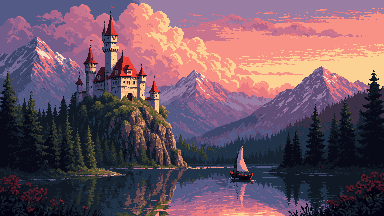
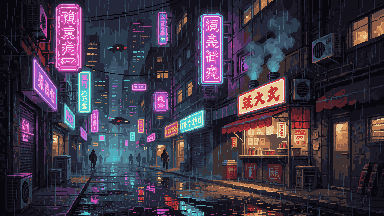
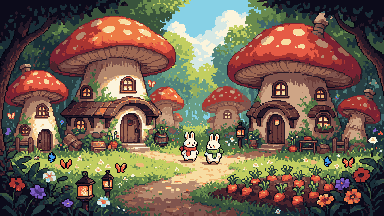
Scenes in 384 × 216 real pixels, about 20 seconds each on one RTX 4090.
All images and animations on the pixel engine page →Free – and what the others cost
There are good commercial tools for AI pixel art. PixelLab offers animation from text and skeletons, 4- and 8-direction rotations, tile sets and maps, with an Aseprite plugin. After a free trial it costs $12, $24 or $50 a month. Retro Diffusion has its own models trained by pixel artists and charges per image: $0.03 to $0.18, animations from $0.07 per clip.
Both are convenient, run in the browser and need no GPU of your own. Our chain is the opposite: it runs on your own GPU, the models are open, and the workflows and the tool are open source. In exchange it costs nothing – no subscription, no credits, no watermark. And you can see and change every step.
Prices from the vendors’ websites on 8 October 2026.
The goal
Our games on the Daybun handheld need lots of small animations. The characters are 32 pixels tall. The goal sounds simple: draw a character once, then generate any motion for it. Running, flying, drinking, exploding. For every character.
At 32 pixels nothing is forgiven. A leg is two to four pixels wide. One pixel of difference between two frames is visible jitter. And the character has to stay exactly the same in every frame: same ears, same scarf, same colours.
42 ways that did not work
We started with the obvious: a good image model that draws each frame on its own. Then image models helped by a skeleton, a silhouette or a template. Then whole sprite sheets in one image. Then older models with ControlNet. 42 tests, all with the same two characters and the same metrics.
The single frames often looked good. The motion never worked.
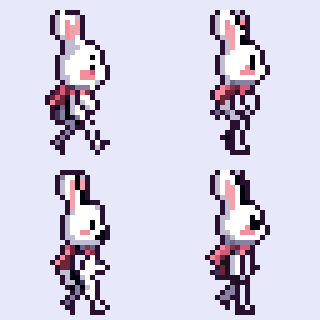
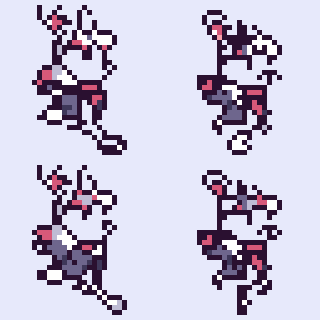

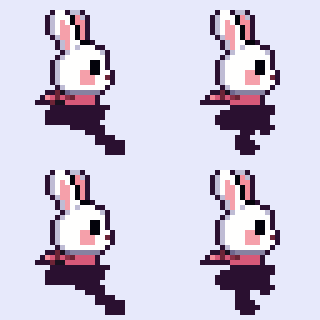

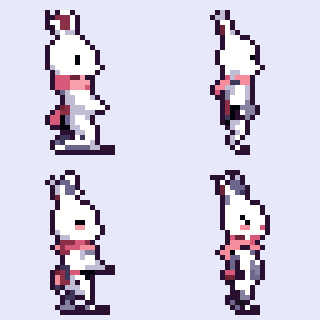
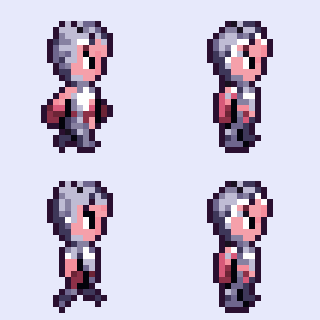

Image models have no memory across frames. Only video models understand motion.
Every image pipeline invents every frame anew, so it flickers. Templates, skeletons and silhouettes make the motion correct, but never general: there is no template for “beetle explodes”. A video model knows any motion and keeps the character stable across all frames. It just cannot do pixels.
The chain
So we split the work: the video model makes the motion, a pixel model re-draws every picked frame cleanly, and a grid tool forces everything onto exactly 32 × 32 pixels with one shared palette.
- Still imageThe finished sprite (up to 64 px), bottom-centre on a flat key colour, nearest-upscaled to 384 × 384.Green, magenta or blue – whichever is furthest from the character’s colours.
- VideoWan 2.2 I2V A14B makes 33 frames. The motion comes from one sentence of text.High-noise stage without the speed-up LoRA, CFG 3.5.
- Pick framesLoop: exactly one motion period, found on the masks. One-shot action: spread evenly up to the last visible frame.Typically 6 to 13 frames.
- Re-drawKrea 2 Turbo with the k2-pixel32 LoRA repaints every frame as img2img (denoise 0.4) in pixel style.6 frames per job.
- Grid and paletteThe MiniMax H3 refiner collapses all frames onto the exact grid with one shared palette. Then the key colour goes.Output: frames, sprite sheet, GIF.
Ready for the game: KNUDDEL-ALARM
KNUDDEL-ALARM is our platformer. Many of its characters had one or two pictures so far. For each one we take the existing game sprite as the start image, write the action as one sentence and store the result directly in the game’s animation format: frames, a pivot per frame, timing. Everything below is unretouched, each with its verdict after a visual review.





What did not work
The five animations above took 18 video runs, plus a few new frame picks on existing videos. These runs did not make it into the game:
- Jelly wobble: in the first try the jelly grew legs and walked off. In the second it stood still, because the sentence “keeps its size and proportions” forbids exactly the squashing. In the third it only wobbles now and then, without a clean loop.
- Jelly hop: Wan turns the jelly into a bean.
- Gummy bear gets cured: he turns to the camera and ends up looking sceptical rather than happy.
- Cloud floats: two tries, both barely move.
- Filibuster cheers: he turns to the camera, and the pilot goggles slide over his eyes. Not true to the character.
- Heart sparkle ring: lovely in the video, but the 1-pixel sparks do not survive the re-draw at 32 px.
- Soap bubble pops: the bubble is almost transparent, and the video just leaves it standing.
- Broccoli impact: Wan shows the smoke cloud first and lets the broccoli appear from it. Played backwards it becomes an impact, but a pale one.
Rule of thumb: characters with a clear sprite and strong colours work. Tiny effects, transparent objects and motions that fundamentally change the character’s shape mostly do not.
Early experiments
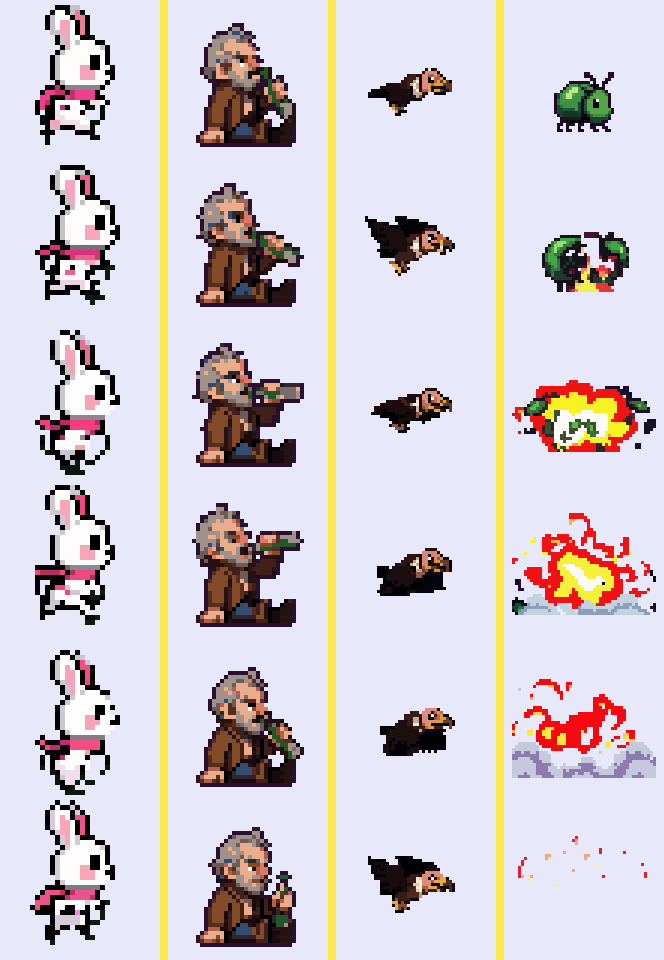
And 72 more from our games
Enemies, bosses and characters from Knuddelknall and Möhrenpfad, all made with the same chain and built into the games.





Six mistakes that cost us days
“Video first” was clear quickly. It only got good after these six fixes.
The speed-up LoRA damps the motion
Our first video attempt used the lightx2v LoRA, which lets Wan run in 4 instead of 20 steps. Result: the legs only shuffle. This distillation is known for damping motion. Now the high-noise stage, which decides the coarse motion, runs without it and with real CFG 3.5. Only the low-noise stage for details still uses it. Plus a prompt with “big energetic strides” instead of “walks in place”.
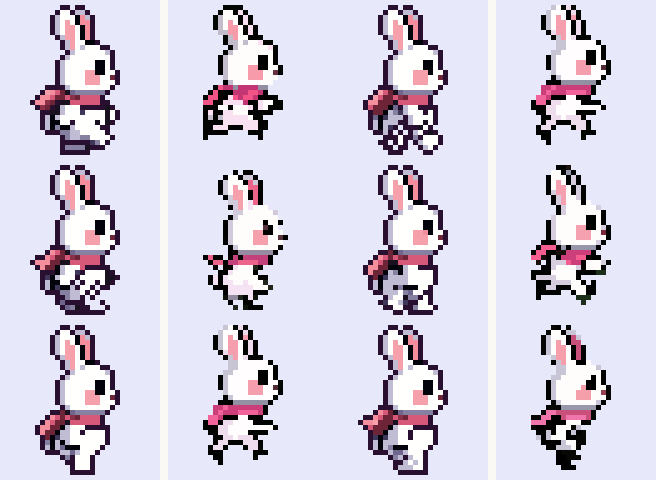
White eats the white bunny
On a white background, white legs blur into the background. The video model then draws them half-way, and keying loses them. With a flat green screen every leg stays visible. For green characters such as the beetle the chain picks magenta or blue automatically.

The dumbest bug: sorting
Our client saved the video frames as v_0, v_1, … v_32. Sorted as text that becomes v_0, v_1, v_10, v_11, …, v_19, v_2, v_20 … All our early video cycles were shuffled, and we blamed the video models. Now we sort by the last number in the file name.

Let Krea re-draw instead of rasterising
Simply shrinking the raw video gives mush. Our own temporally stable rasteriser kept the face steady but frayed ears, legs and scarf. Much better: Krea 2 with the k2-pixel32 LoRA repaints every frame as img2img with low denoise (0.4). The pose comes from the video, the pixel line from Krea. One detail matters: Krea works on a 16 px token grid. So we make one art pixel exactly 32 image pixels (2 × 2 tokens), and the grid stays stable.
Lock the palette
Krea draws every frame on its own and invents colours: the drunk’s bottle turned neon green. Now the grid step gets a fixed palette, the same for all frames: the colours of the still image plus the key colour. For effects such as fire and smoke, which need new colours, the palette comes from the picked video frames instead.
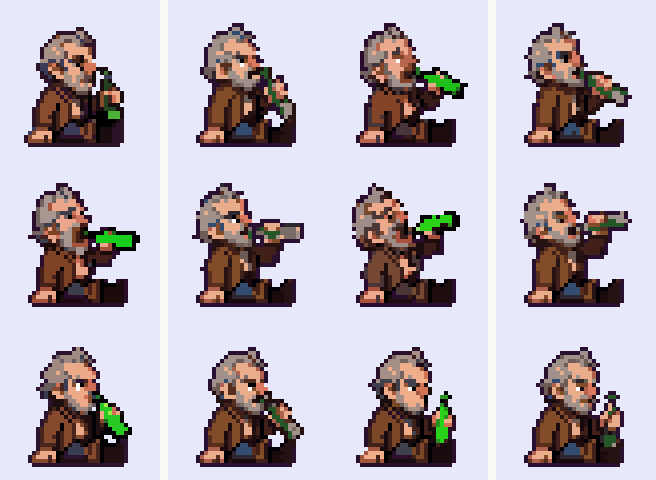
“Stay as you are” holds things back
To stop the video model from zooming, the prompt says the character keeps its size, proportions and colours. For running that is right. For a vulture that should take off or a beetle that should explode, exactly this sentence holds it back: the beetle stayed whole, the vulture stayed on the ground. For big actions the sentence is now dropped, the camera follows the character, the canvas gets a margin, and Krea re-draws more lightly (0.3) so it does not paint the explosion away again.

The settings
These are the defaults behind the examples above. Per-animation changes are listed with the KNUDDEL examples and in the recipes in the repository.
| Video model | Wan 2.2 I2V A14B, GGUF Q4_K_M (high and low noise) |
|---|---|
| Video | 384 × 384, 33 frames, seed 3 |
| Steps | 8 in total: 4 high-noise without lightx2v, CFG 3.5 · 4 low-noise with lightx2v, CFG 1 · shift 5 · euler/simple |
| Prompt | “Pixel art video game sprite animation of <character>, side view facing right. The character from the start image <action>. Static camera, no zoom … Plain solid bright green background (green screen).” |
| Pixel model | Krea 2 Turbo fp8 + k2-pixel32 (grids up to 48 px), k2-pixel64 above |
| Re-draw | img2img, denoise 0.4 (effects 0.3), 8 steps, CFG 1, canvas = grid × 32 px |
| Grid | MiniMax H3 Pixel Art Refiner to 32 × 32 (or 32 + 2 × margin), shared palette |
| Margin | 0 for running, 2 for drinking, 6 for wings, 8 for explosions (in grid cells) |
Timings and hardware
Everything runs on a ComfyUI server with one RTX 4090 (24 GB) that several services share. The machine has 44 GB of RAM, and that is the bottleneck: Wan 14B loads two 9 GB models one after the other. We only run it with a RAM watchdog.
At first one animation took about 4.5 minutes: video at 512 × 512 with 10 steps, then every frame as its own Krea job. Two changes cut that by more than half. Krea now draws 6 frames in one job, so the model loads once. And the video runs at 384 × 384 with 8 steps, with the same motion.
| Setting | Frames | Video (Wan) | Pixel (Krea) | Total |
|---|---|---|---|---|
| Start: 512², 10 steps, one Krea job per frame | 12 | – | – | ≈ 4.5 min |
| 512², 10 steps, Krea 6 per job · bunny | 12 | 63 s | 101 s | 2.7 min |
| 384², 8 steps, Krea 6 per job · bunny (default) | 6 | 45 s | 68 s | 2.1 min |
| 384², 8 steps, Krea 6 per job · drunk (default) | 12 | 46 s | 138 s | 3.1 min |
| 384², 8 steps, cell 16 · bunny | 6 | 45 s | 29 s | 1.2 min |
| 384², 8 steps, cell 16 · beetle | 12 | 44 s | 82 s | 2.1 min |
Video = pure compute time on the server, pixel = wall time including upload and download, total including the first model load. “Cell 16” (k2-pixel64 on half the canvas) is faster but leaves crumbs in the background on effects, so cell 32 stays the default.
Limits
- Tuned for characters up to 64 pixels. Bigger ones need a bigger canvas and the k2-pixel64 LoRA.
- The view has to be right in the still image already. The chain does not create a new facing.
- The character must be described precisely in the text: colours, clothes, details. Otherwise Krea “corrects” it.
- Not every seed works. Realistically you make a few variants per animation and pick one.
- Small wobbles remain: the bunny’s ear shape changes a little, and the vulture’s body turns into a dark lump on the down-stroke.
- Video models do not like destroying characters. Explosions need a clear action in the text and the mode without “stay as you are”.
- Without a GPU with at least 24 GB and plenty of RAM, the 14B model gets slow. The small 5B model is faster, but in our tests it changed the character.
- The models have their own licenses. Krea 2 is under the Krea Community License. Check the terms before you use results commercially.
Try it yourself
We publish the chain as a small open-source package: three ComfyUI workflows, a Python tool that needs nothing but numpy and Pillow – since 8 October also for scenes and sprites (pvs scene, pvs sprite) –, the KNUDDEL examples from above with input sprite and recipe, the early probe animations and a guide. No model weights are included. They come straight from their authors; the links are in the guide.
pvs check
pvs animate bear.png --view "side view facing left" \
  --action "stomps forward grumpily, swinging his short arms …" \
  --description "a small grumpy pink gummy bear with a dark plum outline" \
--mode loop --frames 6 --stabilize scale --out out/bear-walkThe package is called pixel-video-sprites (MIT license).
Thanks to the authors of Wan 2.2, Krea 2, the k2-pixel LoRAs (e-n-v-y), the Krea 2 Pixel Art Refiner (envy-ai), ComfyUI-GGUF (city96), the GGUF builds (QuantStack) and the Comfy team.